Virtual Conference Instructions
Due to the COVID-19 pandemic, the APNOMS 2020 conference will take place virtually using Zoom-Webinar platform.
Zoom-Webinar will be the main video communications software used by all presenters, keynotes, and panelists during all the sessions of the conferences. To access to the Zoom-Webinar sessions, please make sure to use the same e-mail address for registration when joining the conference’s tracks.
| ZOOM-WEBINAR SESSION: |
| Each session will have: |
- Host: A conference program member with a special prefix on the side of his/her name [Host_ Kim], this person will facilitate the use of the Zoom virtual rooms, will assist the Session chair, and will help in case of any technical issues.
- Session Chair: A conference program member with a special prefix on the side of his/her name [Chair_Kim], this person will moderate the session and manage the Q&A session.
|
| SESSIONS STRUCTURE: |
- 15 minutes before the Session: The host will launch the designated Zoom-webinar meeting.
- 10 minutes before the Session: The Session Chair will check the presence of the speakers.
- 5 minutes before the Session: The host will test the audio, camera and sharing presentations on the screen with both session chair and presenters.
- Beginning of the Session: The Session Chair will introduce the session and the speakers. The talk will be presented using the video recording submitted by the speakers.
|
|
The duration of a presentation by type are listed below:
-
| Type |
Presentation Duration |
Video Duration |
Q&A Duration |
| Poster Session |
9min |
7min |
2min |
| Technical Session |
25min |
20min |
5min |
| Special Session |
25min |
20min |
5min |
| Innovation Session |
20min |
15min |
5min |
| Tutorial Session |
90min |
80min |
10min |
| Keynote Speech |
30min |
20~25min |
5~10min |
| DEP |
100min |
15min/panelist |
40min (Discussion) |
|
| Q&A SESSION |
| A live Q&A session will follow each talk, which will be moderated by the Session Chair. |
- Attendees will be muted and they will need to ask question through the Q&A Window at the bottom of the Zoom Webinar control panel.
- Attendees are requested to ask question during the video play and before the start of Q&A session.
- If the attendee need to refer to the presentation, please indicate clearly the slide number of the presentation or note down the time of the relevant content.
- When the presentation is finished, the Session Chair will open the Q&A session and will read any questions made to the speaker in the Q&A Window according to the time they were first submitted.
- Due to the limited Q&A session duration, the Session Chair may not cover all the asked questions, however, participants may discuss with the speakers using the Chat window or may email their questions to speakers using the email provided at the end of the presentation.
|
| HOW TO JOIN THE SESSION: |
The virtual Tracks can be reached from the APNOMS 2020 program webpage or using the link included in the invitation email which will be sent to all registered authors a few days before the conference.
When you enter the Track room in Zoom-Webinar, you need to login to join the virtual conference. When registering, please indicate your role in the conference as follow: |
|
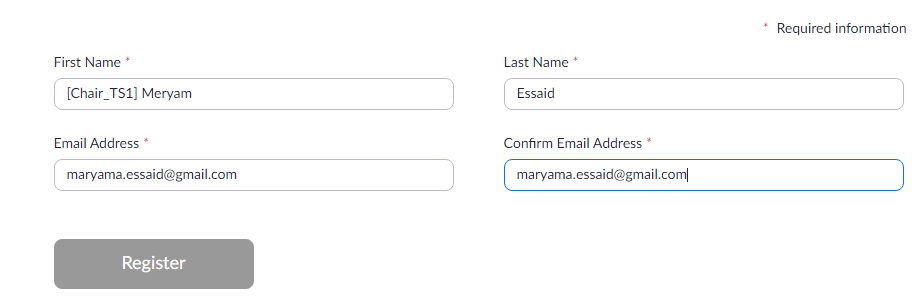
Session Chair Registration
|
- The Session Chair needs to log into the Virtual Track room 15 min before the session time.
The Session Chair needs to use the same email account used to register to the conference when logging into the virtual room. The Session Chair is required to register by providing the followings:
- - First Name: [The role_session ID] First name
- - Last Name:
- - Email Address:
- - Confirm Email Address:
-
| For Example |
- - First Name: [Chair_TS1] Meryam
- - Last Name: Essaid
- - Email Address: apnoms2020@gmail.com
- - Confirm Email Address: apnoms2020@gmail.com
|
| ↓ |
 |
-
|
| |
| Session Speaker registration |
- Virtual Tracks can be reached from either APNOMS 2020 program webpage or through the sent email.
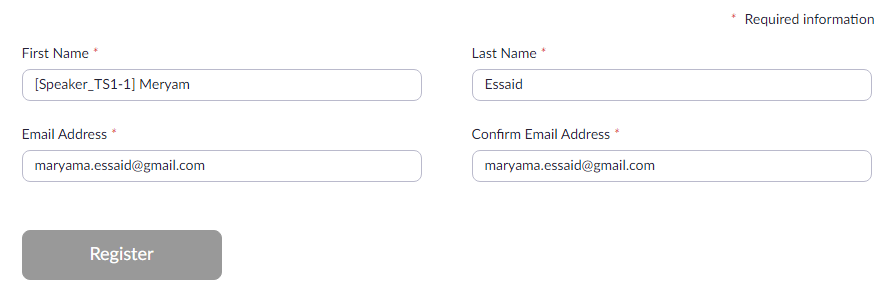
- Speakers need to use the same email account used to register to the conference when logging into the virtual room. Speakers are required to register by providing the followings:
- - First Name: [The role_session ID-presentation ID] Speaker's First name
- - Last Name:
- - Email Address:
- - Confirm Email Address:
-
| For Example |
- - First Name: [Speaker_TS1-1] Meryam
- - Last Name: Essaid
- - Email Address: apnoms2020@gmail.com
- - Confirm Email Address: apnoms2020@gmail.com
|
| ↓ |
 |
|
| |
| Session Attendees registration |
- The attendees are requested to log into the Virtual Track room 5 min before the session time.
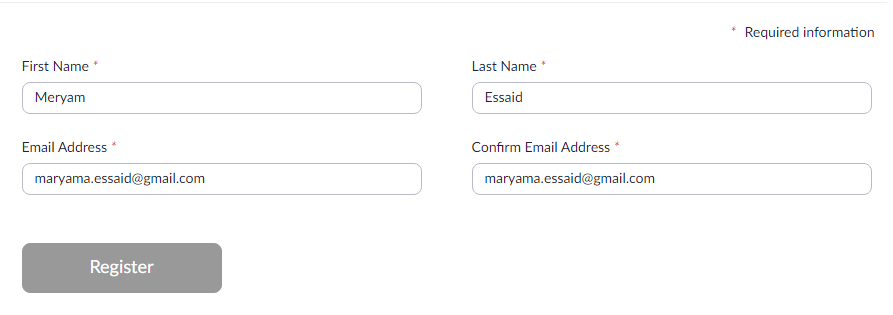
- To join the Virtual Track room, Attendees must Enter their information as processed during the registration:
- - First Name:
- - Last Name:
- - Email Address:
- - Confirm Email Address:
-
| For Example |
- - First Name: Meryam
- - Last Name: Essaid
- - Email Address: apnoms2020@gmail.com
- - Confirm Email Address: apnoms2020@gmail.com
|
| ↓ |
|
|
|
| Since we are going to hold a hybrid conference with continuous Live streaming, after each session we will have a break of 15 min. During the program breaks the patrons will rotate to demonstrate their videos and talk to participants. |
If you have any issues joining the Virtual Conference Rooms, please contact us via email at: apnoms2020@gmail.com